
Table of Contents
TogglePrior Authorization API: A Simple Guide for Healthcare Providers
A prior authorization API can connect a provider system with a health plan so the team can check requirements, send a request, and receive a decision with less manual work. Certain health plans must support this technology beginning in January 2027.
The change has the potential to reduce portal switching, phone calls, fax use, and repeated data entry. It will not remove every delay, however. Providers still need clear notes, accurate patient information, trained staff, and a reliable process for exceptions.
This guide explains the technology in simple language. It covers what the connection does, which plans must support it, what providers should ask their EHR vendors, and how a practice can prepare without turning the project into a technical burden.
Check requirements. Send complete records. Receive clear decisions.
What Is a Prior Authorization API?
An application programming interface is a secure way for two computer systems to exchange information. A prior authorization API connects a provider application with a payer application and supports the steps needed to request approval for covered medical items and services.
The connection can tell the provider whether approval is required and what information the payer needs. It can also carry the request and return an approval, a denial with a specific reason, or a request for more information.
The aim is not to replace clinical judgment. The technology moves structured information between approved systems. Clinicians still decide what care to order, payers still apply coverage rules, and provider teams still make sure the record supports the request.
Why January 2027 Matters
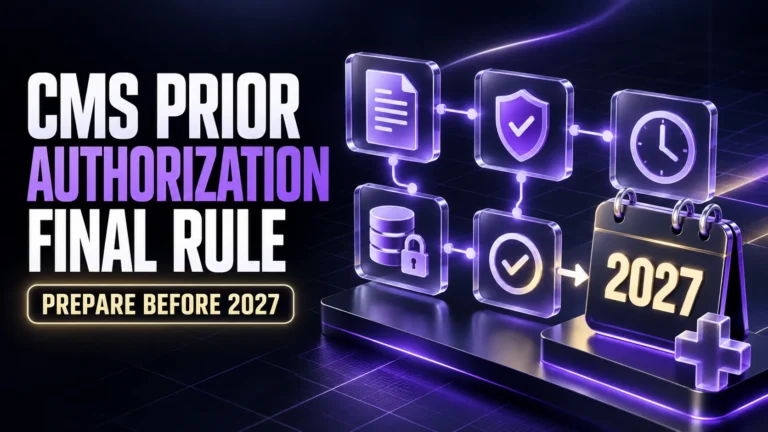
Under the CMS prior authorization rule, impacted payers generally must implement the required application connections beginning January 1, 2027. Exact compliance timing can vary by payer type, so providers should confirm dates with each plan and vendor.
The deadline applies mainly to payer technology duties. It does not mean every provider must purchase a new system on that date. Even so, teams that prepare early will be better placed to use payer connections as they become available.
CMS also created a new reporting measure for certain clinicians, eligible hospitals, and critical access hospitals. During the 2027 reporting period, eligible participants generally attest that they sent at least one qualifying request electronically or claim an allowed exclusion.
Which Health Plans Must Implement the API?
Impacted payers include Medicare Advantage organizations, state Medicaid and Children Health Insurance Program fee for service programs, Medicaid managed care plans, related managed care entities, and certain qualified plans on federally supported marketplaces.
Not every commercial health plan falls under the same federal requirement. A medical group may work with impacted plans, other commercial plans, and traditional Medicare programs at the same time. Different submission paths may therefore remain in use.
Create a simple payer list that shows each product, portal, contact, current submission method, expected connection date, and vendor status. This prevents staff from assuming that one new workflow covers every patient and every service.
How the Prior Authorization API Works
The process begins inside the provider workflow, often when a clinician places an order or staff schedules a service. The system uses patient, coverage, service, diagnosis, and provider information to ask the payer what rules apply.
If approval is required, the payer can return its documentation needs. The provider system can help collect the right information and send the request. The payer then returns a clear status that staff can view and act on.
CMS encourages standard implementation guides that support three major functions. They help discover coverage requirements, collect documentation, and exchange the actual request and response. Vendors may present these steps as one smooth user experience.
Step One: Check Whether Approval Is Required
The first useful question is whether the planned service needs approval for the patient and plan. Today, staff often search a payer website, open a portal, or call the payer to find the answer.
A connected workflow can ask this question using information already available in the order and coverage record. The payer can answer whether approval is required and show relevant rules before the service is scheduled.
Early discovery matters because it gives the team time to act. It can prevent a late cancellation, an avoidable patient call, or a claim denial caused by a requirement that staff found only after care was delivered.
Step Two: Find and Gather the Required Records
When approval is required, the next question is what the payer needs. Requirements may include recent notes, test results, treatment history, symptoms, failed therapies, images, or a reason that a requested service fits the patient condition.
The technology can present these needs within the user workflow. Staff can then gather the correct records instead of uploading a large chart and hoping that the reviewer finds the facts that support medical need.
Templates should help clinicians document useful details without creating copied notes. Short prompts can capture the patient problem, important findings, prior care, response to treatment, and the reason for the new request.
Step Three: Send the Request Electronically
After the required information is ready, the provider system can send the request to the payer through the supported connection. The staff member should receive a confirmation that the request reached the correct payer and patient record.
The request should include accurate member details, ordering provider information, service codes, diagnosis information, place of service, urgency, and supporting records. Missing or conflicting details can still slow a connected process.
Keep a visible record of the submission date, confirmation, current status, owner, and next action. If the connection fails, the team needs a defined backup such as a payer portal, secure message, or phone process.
What Responses Can the Payer Send?
The payer response must do one of three things. It can approve the request and state when the approval ends, deny the request and give a specific reason, or ask the provider for additional information needed to decide.
A clear response helps staff choose the next step. An approval can move to scheduling, a request for information can return to the correct person, and a denial can move to correction, discussion, or appeal.
Impacted payers other than certain marketplace plans generally have up to seven calendar days for a standard request and seventy two hours for an urgent request, unless the patient condition or another program rule requires faster action.
How FHIR Supports the Connection
FHIR means Fast Healthcare Interoperability Resources. It is a standard way to organize and exchange health information. Using a shared standard helps different payer, EHR, and provider applications understand the information they send to one another.
FHIR does not mean every system will look the same. Each vendor may design different screens, prompts, and work queues. The important point is that the systems can exchange expected data in a consistent and secure format.
Good healthcare API integration also needs identity checks, access controls, logging, error handling, and testing. Technology and privacy leaders should confirm who can send information, which data leaves the organization, and how failed messages are handled.
What the Provider Workflow May Look Like
A clinician may place an order and see that approval is required. The system can show the requested records, reuse available chart information, ask for missing facts, and send the completed request after an authorized user reviews it.
An authorization specialist can monitor a shared queue instead of checking several portals. The queue should show new tasks, requests for more information, approaching deadlines, denials, approvals, and cases that need manual attention.
The scheduler can see whether a service is ready without calling another department. The billing team can receive the approval number and valid dates, reducing the chance that a clean clinical approval becomes a preventable claim problem.
Main Benefits for Providers and Patients
The largest benefit is less manual searching. Staff may spend less time opening payer sites, copying patient details, sending faxes, waiting on calls, and entering the same answer in several systems.
Patients may receive faster and more predictable updates. Clear status information can help the care team explain what is pending, what the payer requested, and when the service may move forward.
A connected record also supports better reporting. Leaders can study turnaround time, requests for more information, denial reasons, appeal results, delayed services, staff effort, and revenue risk across payers and locations.
What the API Cannot Fix by Itself
The API cannot support approval when the clinical note is incomplete. It cannot correct the wrong member number, an invalid service code, a missing order, or a request sent to the wrong payer product.
It also cannot guarantee that every payer and provider vendor will be ready on the same day. Organizations may need mixed workflows for some time, including connections, portals, phone calls, and secure manual methods.
Automation should not hide important decisions. Staff need to know what information the system selected, what it sent, what the payer returned, and when a person must review an unusual or high risk case.
What Providers Are Required to Do
Most direct implementation duties apply to impacted payers, not to every provider. Providers do not automatically have to buy a particular product by January 2027. They should still prepare if they want to use the new payer capability effectively.
Certain eligible clinicians and hospitals will also face the new electronic reporting measure for 2027. Organizations should confirm whether they participate, what certified technology they use, and how they will keep proof of a qualifying request or exclusion.
CMS guidance encourages providers to speak with EHR vendors now. Ask about the product timeline, supported payers, certification, required upgrades, extra modules, testing, training, technical support, and the way users will handle failed requests.
Check Your EHR and Vendor Readiness
Map where each needed data element lives today. Review the order, patient coverage, diagnosis, service code, clinical note, attachment, payer response, approval number, valid dates, and claim. Repeated entry shows where a connection could save time.
Ask vendors to demonstrate the complete workflow with realistic cases. A technical connection alone is not enough. Users should be able to find requirements, add missing records, review the request, track status, and handle exceptions without losing context.
Improve Documentation Before Connecting
Strong electronic prior authorization begins with strong clinical documentation. The record should explain the patient need in a way that supports the ordered service and answers the payer requirement without unrelated material.
Give Every Team Member a Clear Role
Assign one owner at each stage. The clinician documents the need, support staff confirm coverage and records, the authorization team sends and tracks the request, the scheduler checks approval, and billing confirms that claim details match the authorization.
A Practical 90 Day Readiness Plan
During the first thirty days, measure the current process. Record request volume, common services, payers, submission methods, decision time, requests for more information, denials, appeals, delayed care, and staff effort.
During the next thirty days, fix the most common gaps. Improve documentation prompts, clean payer records, define ownership, create escalation rules, and choose a small group of services for testing with your vendor.
During the final thirty days, test complete cases from order to claim. Train users, review errors, confirm a manual backup, and set a regular meeting where clinical, authorization, technology, and revenue teams can improve the process.
How Xoodoc Can Help Providers Prepare
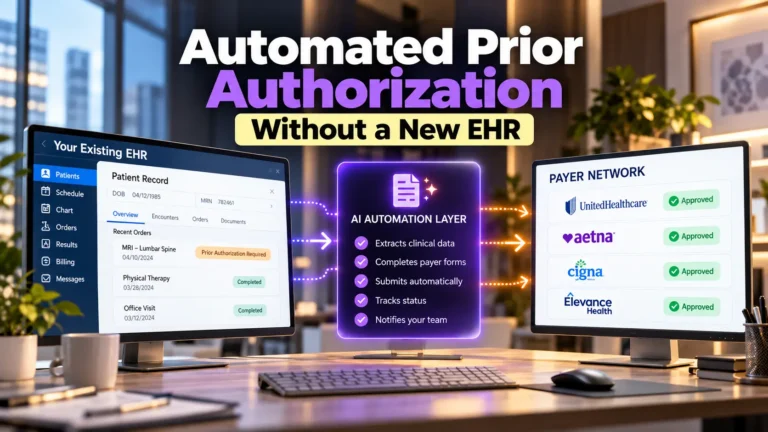
Xoodoc can support preparation through automated prior authorization, helping teams reduce repetitive checks, guide complete requests, and keep status visible while staff control important decisions.
Early insurance eligibility verification can help identify the correct plan before the request starts. AI medical coding can support accurate code selection when the clinical record provides the required facts.
Xoodoc can also help teams create one visible path from the order to the payer response. Clear status, guided records, and useful alerts can reduce handoff gaps while keeping clinical and billing staff involved at the right time.
Final Takeaway and Official CMS Guidance
Connecting authorization work with healthcare revenue cycle automation helps approval details reach scheduling and billing. The prior authorization API offers real value when people, records, and systems share one clear process. Review the official CMS provider guidance before changing a live workflow.
Frequently Asked Questions
What is a prior authorization API?
It is a secure connection that lets provider and payer systems exchange coverage requirements, supporting records, requests, and decisions for medical items and services.
When does the CMS API requirement begin?
Impacted payers generally must implement the required connection beginning January 1, 2027. Exact compliance dates can vary by payer type.
Does every provider need to buy new software by 2027?
No. The main implementation duties apply to impacted payers. Providers should ask their EHR and other vendors how they plan to connect and whether an upgrade or module is needed.
What answers can a payer send through the API?
The payer can approve the request and give the end date or condition, deny it with a specific reason, or ask for more information.
Does the CMS requirement include prescription drugs?
No. The 2024 final rule excludes drug prior authorizations from these requirements. Other rules and payer processes may apply to drug requests.
How can a healthcare provider prepare now?
Map the current process, improve documentation, assign clear owners, confirm vendor readiness, test common services, train staff, track results, and maintain a safe manual backup.